
Blog

What You Need to Know About Leasing Business Equipment
(0) What You Need to Know About Leasing Business Equipment

When you're starting up a business, cost drives every decision you make. And when it comes to business equipment, you need to determine whether it is most cost-effective and advantageous to lease or purchase the equipment necessary to your business.

There are essentially three options available for acquiring the equipment you need: (1) a straight lease, (2) lease-to-own (also called a finance lease), or (3) outright purchase.  The term "business equipment" can apply to anything you need for your operations, including computers, printers, and other electronics; office furniture; communications systems (smartphones, pagers, etc.); alarms and security systems; shelving and storage; specialized machinery; warehouse forklifts and loaders; and vehicles.

The Pros of Leasing

The upside of leasing is that it requires less of an initial outlay than purchasing, so you're not tying up so much money right off the bat. And for computer equipment, it can be the best option.

Your lease costs can be deducted as an operating expense, and they don't depreciate. Since the average equipment lease runs for 3 years, your lease will be expiring right about the same time that your computer equipment is obsolete, and you can upgrade to a new system under a new lease. (Review the lease terms to make sure they provide for maintenance, updates and support.)

The Cons of Leasing

Your overall costs are almost always higher because of interest and fees, you don't own the assets, and you build no equity in the equipment.

In addition, the lease agreement will contain restrictions on how you use the equipment: such as whether, and how much, you can customize the equipment for your business.

Comparison of Pros and Cons

LEASING

BUYING

Lower upfront costs have less impact on cash flow

Higher initial investment required

Higher total costs overall, interest rates much higher on lease than financed purchase

Lower total investment over the life of the equipment

No ownership or equity until end of term

Ownership of and equity in assets upon purchase, with option for resale

Easy upgrade options during and at end of term

Full control over use and customization of equipment

Maintenance and insurance can be added as option to lease

Maintenance and insurance costs must be fully covered by owner

Lease costs can be deducted as operating expenses

Equipment can be depreciated over a period of years which can be a tax benefit, but can mean loss of value

Fixed monthly payments which can end up costing more than the value of the equipment over the term of the lease

Large upfront cost, but fewer ongoing expenses

Penalties for early termination


Should I Buy Instead?

When you buy it, you own it. And you can probably deduct a good portion of those asset purchases on your business income tax return. You also get the benefit of the depreciation deduction. If the equipment you need has a lifespan of more than 3-5 years and you've got the capital to do it, you probably should purchase instead of leasing it.

Office furniture is a good example of equipment with a long lifespan. While you may replace the chairs every few years, it's likely that the desks, shelving and filing cabinets will be around for a long time. These items are readily available from second-hand office suppliers, which can save you money. Buying second hand can be a great way to save money and still get what you need. Look for classified ads, listings on Craig's List and Kijiji, and shops that specialize in used office equipment and supplies.

Check out the local and online auctions as well. You have more recourse when buying from a dealer since you can usually take the item back, although there will probably be no warranty. The price might be higher than if you bought it from an individual, but the ability to return the item is worth paying more for. The risk you run when buying from an auction is that you can't actually test the equipment beforehand. Many auctions sell goods as seen, which means if the goods do not work, you have almost no chance of getting your money back, except for online auctions such as eBay. Find out what the restrictions are - and what your rights are - before bidding on any auction items.

Determining the Actual Costs

Many start-up companies will need to finance any equipment purchases. There are some questions that you will have to get answered in order to determine what the actual cost of leasing versus purchasing will be.

  1. What is the required down payment for the equipment?
  2. What is the term of the lease or loan?
  3. What are the monthly payments?
  4. What is the interest rate?
  5. Is there a final balloon payment at the end of the term? If so, what is the amount?
  6. What is the cost of an extended warranty (if applicable)?
  7. If lease-to-own, can you buy out early? At what cost?
  8. What is the total cost of the lease or loan (including maintenance and warranties) over its lifetime?
  9. If leasing to own, how much more are you paying to lease the equipment over and above its actual value?
  10. What are the tax deductions available if you purchase?
  11. What would the resale value of the purchased equipment be?

Can You Afford It?

Now that you know what the costs will be, ask yourself whether the business can afford it? Do you have sufficient cash flow at present to support your monthly lease or loan payments? If your business is seasonal, you'll need enough cash to support those payments during your off-season. And what about the maintenance costs? Are they included in your lease? Did you provide for them in the loan calculations? Do you know what they are? Then there's insurance. How much is the annual insurance cost to cover the equipment? Is it included in the lease?

If the answer to any of the above questions is "No", you should determine which equipment is absolutely essential for your business, and which items can wait until your cash flow improves. If you have to have it and the cash isn't there to buy it, then talk to several leasing companies and negotiate the best lease you can.

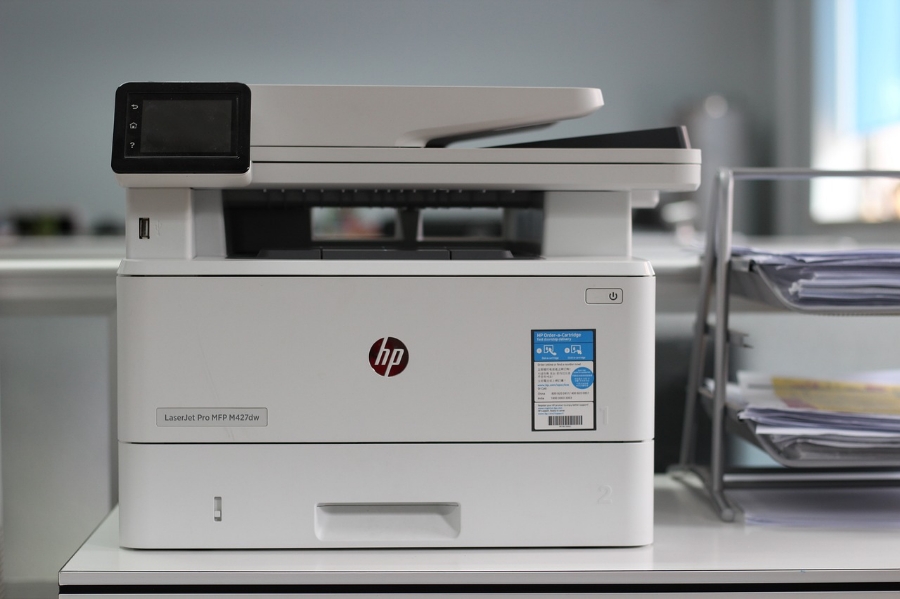
Image by xuefei wang from Pixabay

What You Need to Know to Prepare for That Important Investor Meeting
(0) What You Need to Know to Prepare for That Important Investor Meeting

Careful preparation for meetings with the investment community seems as obvious as it is necessary. However, good intentions all too often get sidetracked and key preparations can easily be overlooked. The questions outlined below will serve as a checklist to make sure that every important item is addressed well in advance of your next investor session.

How to Draft a Software Development Agreement - A 12-Point Checklist
(0) How to Draft a Software Development Agreement - A 12-Point Checklist

Are you a software developer?

More to the point, are you a software developer who wants to draft up a standard form of contract yourself, instead of having a lawyer do it? This checklist can help you cover the basics, but remember that it's always advisable to have a lawyer review your final form of agreement before anyone signs it, to make sure everyone's interests are addressed (it saves on litigation costs later).

Let's look at each of the sections that should be included in a standard-form Software Development Agreement, and the issues that should be addressed to protect your interests and those of your clients.

1.  Parties to the Contract

Every legal contract should begin with the names, addresses and contact information of each of the parties. If any party is a corporate entity, the jurisdiction in which it was incorporated should be included as well.

2.  Full Description of the Software and the Development Process

All of these items should be addressed. They can be briefly described in the main body of the Development Agreement, with the specific details attached as a schedule or appendix.

  • Specifications of the software being developed.
  • Definition of milestones, and criteria for the start and end of each phase of development.
  • Timetable for deliverables.
  • Progress reports, including:
    • milestones achieved and completion of each phase,
    • problems encountered,
    • timetables for problem resolution,
    • any changes to functionality.
  • Testing specifications and criteria for passing each test.
  • Standards and procedures to be applied.
  • Customer's right to conduct quality audits and to review the developer's testing of the software.
  • Installation, support and training that will be provided by the developer.
  • Developer's obligation to deliver the software and documentation in accordance with the specifications.
  • Customer's obligation to supply hardware, software, support, personnel.
  • Provisions describing the process for customer's acceptance of the software and documentation.

3.  Background Technology

Any background technology (such as existing code and applications that will be utilized in the development of the new software product) must be described in sufficient detail, and the ownership of that background technology established - whether it is owned by the customer or the developer.

4.  Definition of "Proprietary Information"

Each party will be providing such things as business data, source code, and other types of confidential or proprietary information. The term should be well-defined, as it applies to each of the parties.

5.  Ownership of Software and Documentation

  • Who owns the software and documentation (taking into consideration ownership of the background technology)?
  • What are the rights of each party are with respect to licensing and sublicensing the software?
  • The developer should assign its intellectual property rights in the software to the customer.
  • It is also important to set out any restrictions on the use of the software (if applicable).

6.  Payments

The section of the Agreement that deals with payment of the development fee should deal with more than just how much and when payments are to be made. All of the following should be addressed:

  • The payment schedule should be based on accomplishment of development milestones.
  • Amount of development fees and allowable expenses, including any maximum amount.
  • Do expenses over a certain amount require customer's prior written approval?
  • Do the development fees include applicable taxes?
  • Developer's invoicing schedule and due dates for payment of invoices.
  • Process for customer's acceptance of development milestones.
  • Customer's right to buy out of the contract in the event of early termination.

7.  Termination

  • Provisions for termination by either party, and for what reasons.
  • Notice period and form of notice, which should include the reasons for termination and the effective date of termination.
  • Survival of terms (such as confidentiality), licenses, and sub-licenses after termination. Which provisions will survive (continue to be binding after termination), and for how long?

8. Training

  • What types of training services will be provided by developer?
  • Where will the training take place?
  • How long will training sessions take place, and how many participants will be accommodated?
  • What sort of training materials will be provided? Who provides them?
  • Is there a separate fee for training, or is it included in the development fees?

9.  Modifications to Software

  • Spell out the customer's rights to modify the software, and to acquire any modifications by the developer.
  • Who owns the modifications?
  • Are there additional fees?

10.  Errors and Defects

  • The customer should have sufficient time to use the software to detect any errors or defects in the software. This section should set a reasonable notice period, such as 90 days, during which the customer should notify the developer in writing of any errors or defects.
  • The developer has an obligation to correct the problems, provided that the errors or defects did not come about by misuse on the part of the user.
  • The parties must also agree on a fair and reasonable arrangement as to any additional fees for work required to fix errors and defects.

11.  Warranties

The developer's warranties to the customer should include:

  • Performance of the software.
  • Customer's right to use software and documentation.
  • Ownership of the software, and developer's ownership of any background technology used in the development.
  • Indemnification of the customer against third party infringement claims and damages.
  • Survival of warranties after termination or expiration of the contract.

The customer should also provide a warranty of ownership if any of the customer's background technology was used in the development, and should indemnify the developer against claims and damages in that regard.

12.  Standard Clauses

There are certain boilerplate clauses that are included (in whole or in part) in all legal agreements:

  • Procedure for giving notice by one party to the other party. It should always be in writing, and can be delivered personally, by mail (whether regular or registered/certified), by fax, or any of these.
  • Governing law clause.
  • Headings not to be construed as part of the agreement.
  • Force majeure provisions.
  • Severability of clauses, in the event that certain provisions are deemed invalid.
  • No amendments unless agreed to by all parties.
  • Schedules and attachments to form part of the agreement.
  • Entire agreement, i.e. no other agreement exists between the parties with respect to the software development.
  • Non-merger (survival) clause setting out which provisions will survive termination.

To get you started, you can find template software licensing and development contracts at MegaDox.com. These are fully editable templates which are easily customized to include all the details of your client transactions.

Image by StockSnap from Pixabay

Is Customer Service Dead?
(0) Is Customer Service Dead?

To answer my own question, not dead yet (nod to Monty Python). But it's definitely ailing.

It seems like most of the service sectors could use a refresher course in courtesy. Remember back in the day when you would pull into a service station (keyword "service"), and a smiling attendant would come out, pump your gas, check your oil and even wash your windows? And when you paid for the gas, you might even get a free air freshener for your car! (If you're under 40, all of this will sound like some impossible Pleasantville fantasy.) Today you drive up to the self-serve gas bar, pump your own gas, clean your own windows (if you can find a squeegee), check your oil (or decide to skip it because you'll get your hands dirty and you're on your way to work), and pay by credit or debit card at the pump, thereby avoiding all human contact. Faster? Decidedly. More enjoyable? Get real. Smiling? Not.

Convenience isn't everything.

We all realize that we save money by doing it ourselves - whether it's pumping gas or bagging our groceries. Nobody is against saving money if it means skipping a few little amenities. But the whole concept of "Service" seems to have gone out the window along with those little amenities. And as a side effect of convenience, we're robbing millions of high school kids of potential after-school jobs at the gas station or the grocery store. So whatever cash we save on gas and groceries, we end up having to pay out for our kids' gas and cell phone bills.

What exactly is "customer service"?

The term "customer service" is made up of two words that naturally go together. Customer Service is defined as "an organization's ability to supply their customers' wants and needs." The definition of a customer is someone who purchases goods or services (that word again).

Whether our business is located in a brick and mortar building, online, or a combination of both, when we serve a customer we are promoting our brand. The way in which we serve that customer will shape how they perceive our business and will determine not just whether or not the customer will return, but also what they will have to say about us to family, friends and colleagues.

Customer satisfaction is essential!

Every business owner knows that a business survives solely on the goodwill of its customers. No matter how deep the pockets of your investors are, no matter how flashy and cool and sexy your products are - if your customers leave your store feeling unsatisfied or unhappy, your business is doomed.

Bad  word-of-mouth gets around pretty quickly these days via X, Youtube videos, Google Reviews and other customer complaint / review websites. This morning's bad customer experience can become this afternoon's trending topic on X. Your marketing fail could soon be plastered all over the Internet for all to see, and your brand can be dragged through the virtual mud.

For a business that relies on local visitors - such as a restaurant -  this is the kiss of doom. You now will have to look at spending a lot of time, effort and cash cleaning up the PR mess and hoping people will forgive and forget. Or you could just take steps to avoid it in the first place.

How to level up your customers' satisfaction level.

Let's go back to that definition of customer service and the part about "supplying a customer's wants and needs." How can we know what they want and need? Well, you can get a clue as to what they NEED by the fact that they've come to your shop or website.

If you sell cars, chances are they're not shopping for window blinds. So you have your first clue - now you narrow the field by asking them what they're looking for, then leading them to the items that fit that description. Narrow the field more by determining the price range, color, size, and other factors that will ultimately affect their decision to purchase.

We've dealt with what the NEED. But what do they really WANT? That part is pretty easy. They want what YOU want - to be dealt with respectfully and fairly, and to be treated as a person. An important person. Someone whose opinion matters. Someone whose time is as valuable as yours.

Personal Example #1: Lousy customer service.

I'm going to share an incident that happened to me not long ago. I went to the Customer Service counter in Real Canadian Superstore to ask a question. There were three people behind the counter who were obviously enjoying themselves, joking and giggling together. Unfortunately there were also three of us customers standing on the OTHER side of the counter waiting, and waiting, and waiting, while they had their little laugh fest, and we were not amused. After a couple of minutes of wasting my valuable time, I gave up and left.

Now to be fair, I've had positive experiences with Superstore's customer service people on other occasions. But THIS one stands out in my mind. Do I still shop there? Yes, but only because they have a big gluten-free section and their prices are better than the competitors. (Celiac disease sometimes means compromise.) But just because I want to save money doesn't mean I want to cease being treated like a human being.

Every business, no matter the size and no matter the clientele, must train their staff to be prompt, courteous and respectful. Don't waste our time.

Personal Example #2: Great customer service!

Now let's take an example from the other side of the aisle. I stopped at Tim Horton's one morning to fill up my travel mug with Tim's Dark Roast. The lady behind the counter got my coffee for me and then asked me if I was right- or left-handed. Why? Well, so she could put the lid back on my travel mug with the drinking spout on the appropriate side. Now THAT is great customer service.

One last tip for client-facing staff.

Remember to SMILE! If you don't enjoy your work, then you should go work somewhere else. Don't take it out on your customers. We didn't hire you - we're just standing in line waiting to be served.

You may be asking, "How do you do all this if your business is online? How can I strike up a meaningful relationship with people I've never met?" Well, people chat with customers on social media every day. "Prompt, courteous and respectful" still apply. Using the words "Thank you" liberally in your emails, post-checkout pages, and contact pages will make your customers feel appreciated.

And yes, you can SMILE with your telephone voice and with the words you use on social media!

Make customer service part of your everyday life.

Let's keep Customer Service alive and well by practicing it every day in our own businesses, and by reinforcing it in others whenever we encounter it in our lives. If a support person or salesperson meets or exceeds your expectations, let them know - and let their supervisors know too. Recognition is like a pat on the back - it encourages people to strive to do their best at all times. If your employees are doing their best for your customers, word will get around and your business will be all the better for it.

Image by Tumisu from Pixabay

11 Steps to a Successful Strategic Planning Meeting
(0) 11 Steps to a Successful Strategic Planning Meeting

Strategic planning is critical to the success of your business. It is an opportunity for management and staff to brainstorm and discuss a wide variety of ideas that might not otherwise be suggested or considered as potential strategies. It also reinforces the company's core values and sharpens the focus of the whole team on the mission, the goals and the objectives.

Aim to hold a strategic planning meeting for all key personnel once a year, and encourage departments to hold followup sessions at 3- or 6-month intervals for executive managers and department heads.

Bring a copy of your current business plan to the meeting so it can be referred to when needed. Keep in mind the purpose of the meeting: to evaluate past projects and goals and to develop new strategies based on opportunities discovered through market research and analysis.

The 11-Step Checklist

Following these 11 steps can help you set the stage for a more creative and productive strategic planning meeting:

  1. Pick a venue that is outside of your business premises. Look for a casual and quiet setting with few distractions so that the participants will feel relaxed and can focus on the business at hand.

  2. Provide beverages and snacks and, if the timing and duration of the meeting calls for it, bring in lunch or dinner.

  3. Leave the titles at the door. Make it clear that each person will be treated as an equal, no matter what their position in the organization may be, and that everyone will have an equal voice in terms of suggestions and criticisms.

  4. Comfort counts. Promote a more comfortable atmosphere by inviting everyone to dress casually.

  5. Encourage open discussion of the topics. This will not only stimulate more brainstorming as the meeting progresses, but it will also serve to fully define the subject and determine its merits.

  6. Celebrate strengths and look for solutions to weaknesses. Don’t let the meeting devolve into a "bitch session". Point out ideas that merit consideration and explain how certain suggestions may not fit into the overall scope of the company’s strategy. 

  7. Don’t try to prioritize ideas brought forth in the meeting. This is mainly a brainstorming session where ideas are explored in relation to their strategic impact on the business, and they are best discussed and explored as they are suggested and not according to an imposed agenda.

  8. Encourage brainstorming. Provide the means for people to advance ideas visually and immediately to the whole room - white board, flip chart, colored markers, etc.

  9. Cover each topic thoroughly before progressing to the next. Keep in mind that you are exploring strategic solutions. When discussing each subject, come up with realistic timelines for specific actions to be taken after the meeting has been adjourned.

  10. Within a week of the meeting, write a summary of all the ideas discussed at the meeting and circulate it to everyone who is part of the strategic planning team.

  11. Follow up at regular intervals to ensure that progress is being made in implementing the ideas that were adopted.

Image AI generated by Pixabay.com